



Yanmar Super Forte AF-22 to AF-33 starting and operation
The starting of a Yanmar Super Forte AF-22 to AF-33 works a bit differently than with a regular tractor: these diesels use a thermo-start (preheating system) and need to be started in a fixed sequence. Below you'll find step by step how to safely start and operate the AF series, with the preheating times from the manual.
Suitable for the entire series: Yanmar Super Forte MARK III AF-22, AF-24, AF-26, AF-28, AF-30 and AF-33.
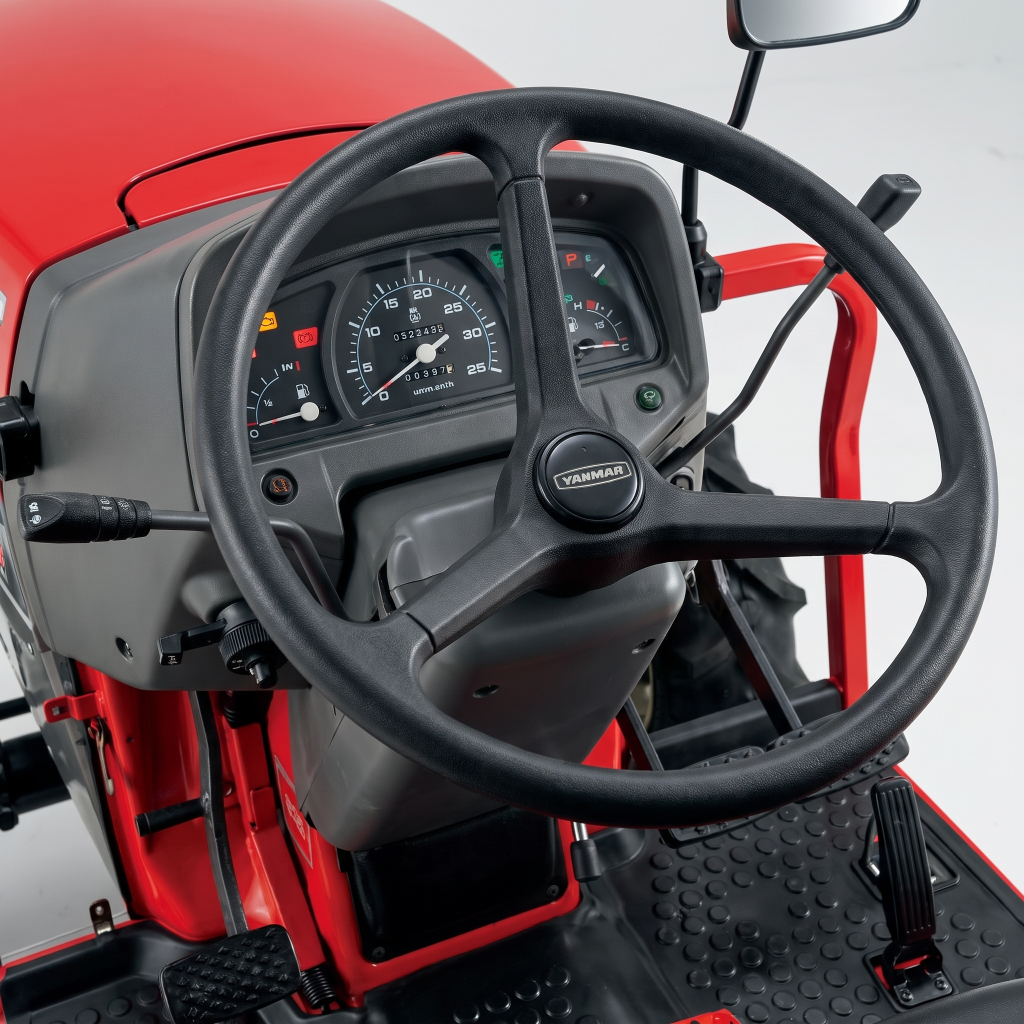
The dashboard and the main levers
Before starting, it's useful to know the controls. The AF series has an hour meter, a water temperature gauge and a fuel gauge, plus a row of warning lights: oil light, charge light, thermo-start, lift-up, turn signal, parking brake and 4WD. The main levers are the main gear lever, the range lever, the hydraulic shuttle (forward/reverse), the PTO lever, the position control lever for the lift, and the throttle lever.
Starting the Yanmar AF series: step by step
Follow this sequence — the tractor will only start if all conditions are met (including the clutch being fully depressed). This is a safety feature, not a malfunction.
| Step | Action |
|---|---|
| 1 | Open the fuel valve (position "0" = open) |
| 2 | Main gear lever, range lever, shuttle and PTO lever in neutral |
| 3 | Position control and auto-rotary to "unlocked"; check that the lift light is off |
| 4 | Throttle lever at (near) maximum speed |
| 5 | Turn the key to ON; in cold weather the thermo-start light will illuminate — wait until it goes out |
| 6 | Fully depress the clutch pedal and turn the key to START |
| 7 | As soon as the engine is running: release the key immediately (it will spring back to ON) |
Important: never run the starter motor for more than 10 seconds at a time. If the engine doesn't start within 10 seconds, wait about a minute before trying again — this prevents draining the battery and overheating the starter motor.
Preheating with the thermo-start
The AF series does not have a classic glow plug per cylinder, but a thermo-start: a preheating system that only activates at low temperatures. When you turn the key to ON, the thermo-start light will illuminate in cold weather; wait until this light goes out before starting. The duration depends on the coolant temperature.
| Coolant temperature | Thermo-start duration |
|---|---|
| Above 5 °C | Less than 1 second |
| Below 5 °C | 3 to 15 seconds |
In warm weather you'll barely notice the system; in freezing conditions it gives the intake air just the boost needed for the diesel engine to start easily. Always start the tractor from the driver's seat and never in an enclosed space.
Note: the AF-22 to AF-33 therefore use a thermo-start (a heating element in the intake), not separate glow plugs per cylinder. If you're looking for preheating parts specifically for your machine, base this on the thermo-start system and not on separate glow plugs — if in doubt, have the type checked against your engine number.
Driving, throttle control and lighting
With the throttle lever you set a constant working speed, ideal for rotary tilling or mowing at a fixed PTO speed. For road transport, you also use the foot accelerator pedal to smoothly accelerate and slow down the engine speed. The light switch has settings for parking lights, high beam and low beam; turn signals and horn work as soon as the key is turned to ON. When parking, always engage the parking brake (pedal lock) and put the tractor in gear on a slope.